VAT Explained: How to Add and Remove It
What VAT is, how to add it to a net price and remove it from a gross price, with the simple formulas, worked examples and a 2026 table of standard rates by country.
Last updated: September 2026
VAT — value added tax — is a consumption tax added to most goods and services. Shoppers see it built into the price; businesses have to add it, remove it and report it. Both directions come down to one small piece of arithmetic.
Adding VAT to a net price
To add VAT, multiply the net (tax-free) price by one plus the rate. At 21%, a net price of 100 becomes 100 × 1.21 = 121. The 21 is the VAT; the 121 is the gross price the customer pays. The VAT calculator does this instantly for any rate.
Removing VAT from a gross price
To find the net price hidden inside a gross figure, divide rather than multiply: 121 ÷ 1.21 = 100, and the VAT is the difference, 21. A common mistake is to subtract 21% of the gross — that gives the wrong answer, because the 21% was added to the net, not the gross.
Standard VAT rates by country (2026)
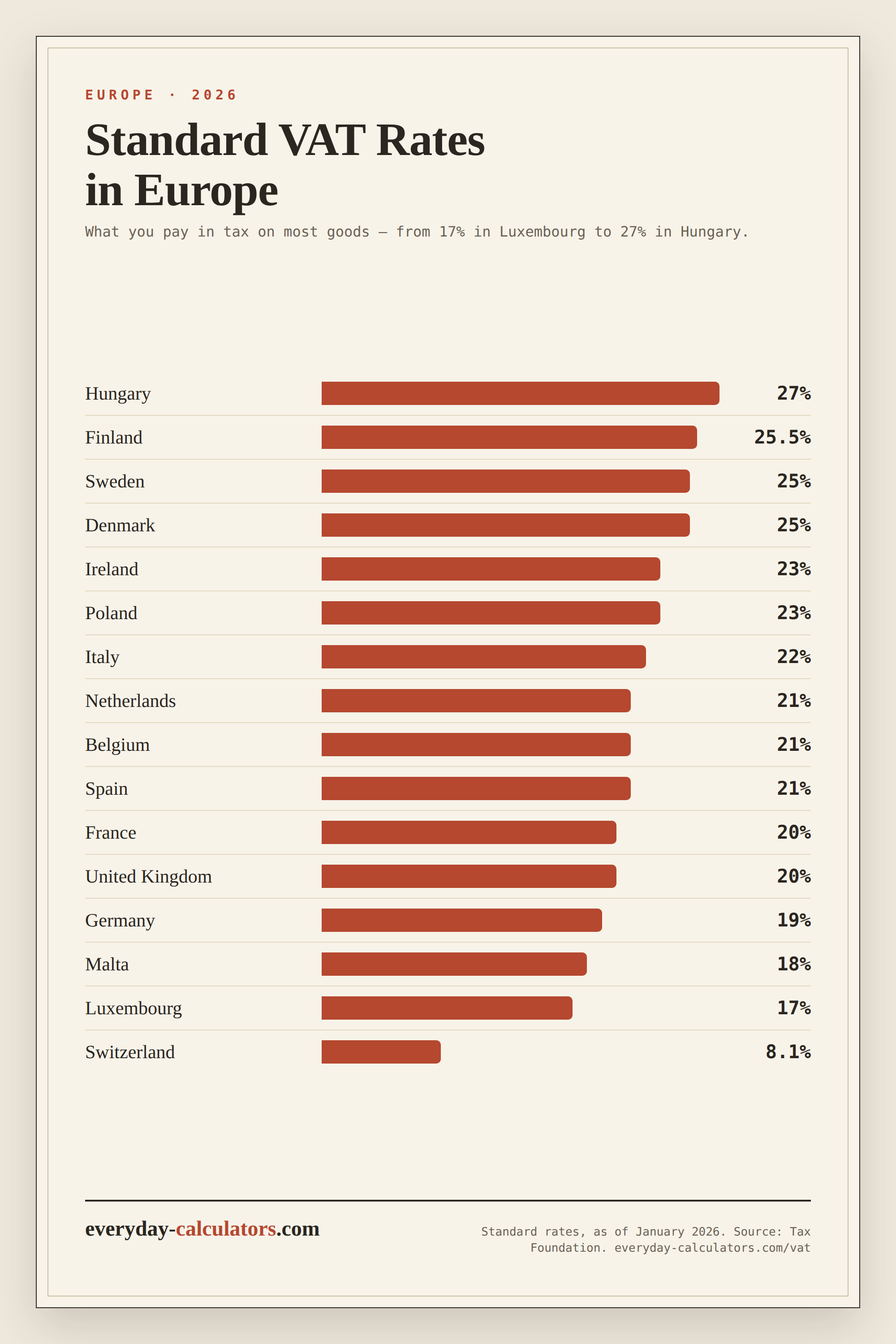
Each country sets its own standard rate, and many apply reduced rates to essentials like food, books or medicine. Standard rates run from 17% in Luxembourg to 27% in Hungary:
| Country | Standard rate |
|---|---|
| Austria | 20% |
| Belgium | 21% |
| Bulgaria | 20% |
| Croatia | 25% |
| Cyprus | 19% |
| Czechia | 21% |
| Denmark | 25% |
| Estonia | 24% |
| Finland | 25.5% |
| France | 20% |
| Germany | 19% |
| Greece | 24% |
| Hungary | 27% |
| Ireland | 23% |
| Italy | 22% |
| Latvia | 21% |
| Lithuania | 21% |
| Luxembourg | 17% |
| Malta | 18% |
| Netherlands | 21% |
| Poland | 23% |
| Portugal | 23% |
| Romania | 21% |
| Slovakia | 23% |
| Slovenia | 22% |
| Spain | 21% |
| Sweden | 25% |
| United Kingdom | 20% |
| Switzerland | 8.1% |
| Norway | 25% |
Standard rates only, as of January 2026. Source: Tax Foundation, “VAT Rates in Europe”.
Verify before you rely on it. Rates change and reduced rates vary by product. Confirm the current rate for your specific goods with the national tax authority before invoicing or pricing.
VAT for small businesses
If you are registered, you charge VAT on sales and reclaim VAT on purchases, then pay the difference to the tax office. Keeping the net and gross straight on every invoice is what makes the return add up.
Example
You quote a service at 500 net. At 20% VAT you invoice 500 × 1.20 = 600, of which 100 is VAT. If a supplier bills you 600 gross at the same rate, the net cost is 600 ÷ 1.20 = 500 and you can reclaim the 100.
Try the VAT calculator →← All guides